
Don’t miss out on any new features
Plugin news, updates and practical Shopware tips. Once a month.
By default, replies to automated shop emails are sent to your shop’s sender address and therefore often end up in the wrong inbox. The Reply-To Manager sets a genuine ‘Reply-To’ header for emails from your flows, ensuring that customer replies are delivered directly to the correct recipient – for example, to the customer themselves or to a specific support inbox.
- A genuine „Reply-To“ header instead of faking the sender: the ‘Reply-To’ core field only sets the sender’s address
- Rules per flow and per sales channel, including a global fallback rule
- Twig variables for the reply-to address and display name, e.g. the email address from the contact form
- Presets for the contact form, order confirmation and dispatch confirmation
- Optional sender override (From) with DKIM/SPF information directly in the administration panel
- Kill switch and debug log in the extension’s configuration
- Separate permissions (Viewer and Editor) for rule management
- No need to edit the email templates
Prerequisites
- Shopware 6.7
- Access to the Shopware administration panel with the necessary permissions for rule management
- No external services or API keys required
Compatibility
- Shopware is supported 6.7
- Older versions (6.6 or earlier) are not supported
- No need to adapt existing email templates
- No reliance on third-party extensions
Installation
- Purchase the extension from the Shopware Store and install it in your shop.
- Under Extensions → My extensions activate.
- Clear the cache and reload the admin panel if necessary (F5).
Set-up: Create first rule
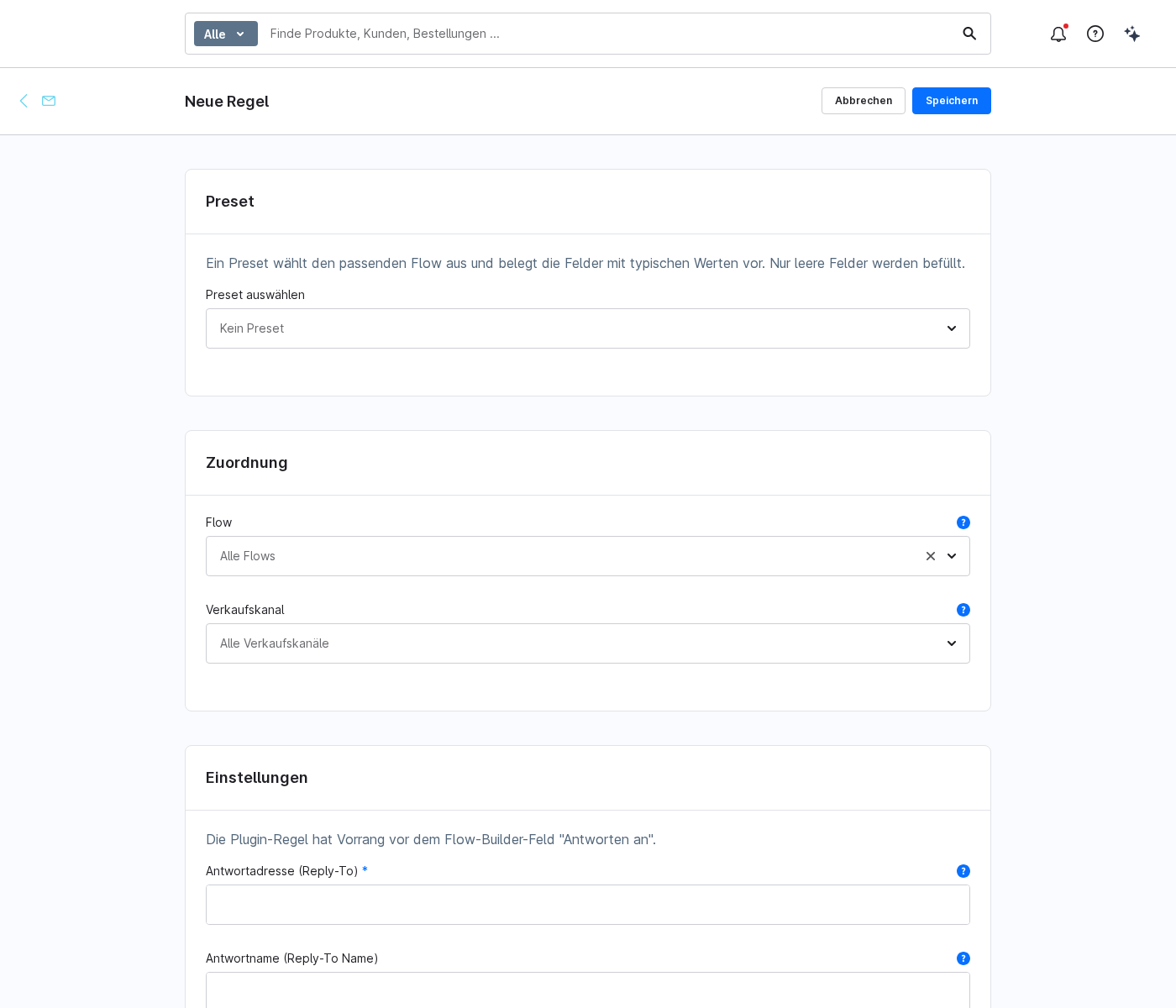
- To Settings → Extensions → Reply-To Manager change.
- Top right of „Create rule“ click.
- In the „Preset“ field, select a template, for example „Contact form“. The appropriate flow and typical values will be pre-filled, with only empty fields being populated.
- Adjust „Flow“ and „Sales channel“ as required. If no sales channel is selected, the rule applies to all channels.
- Under „Reply-To“, enter the desired address or a Twig variable.
- You can optionally set a „reply-to“ name.
- Save. Only one rule is permitted per combination of flow and sales channel.
1 · Rules per flow and sales channel
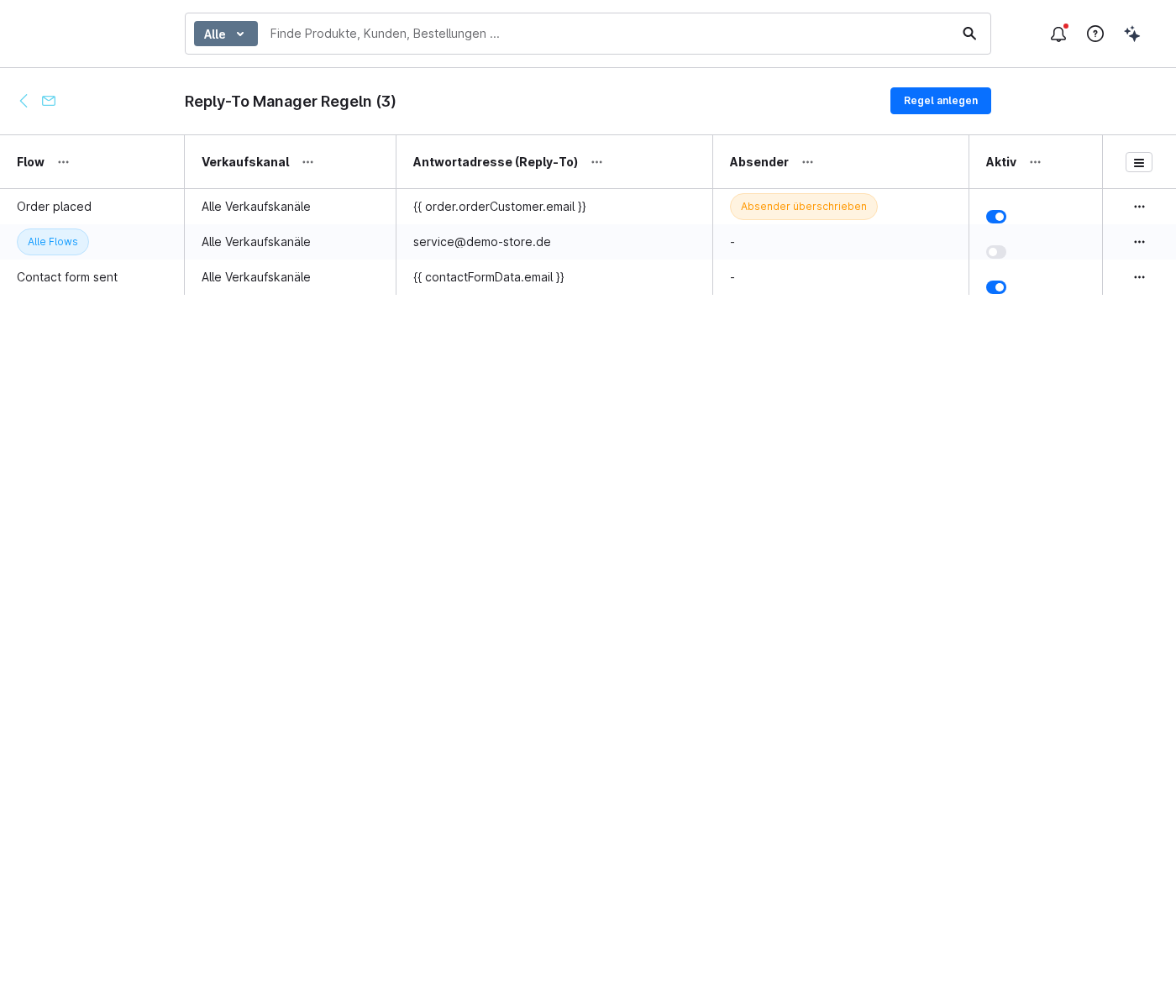
Each rule applies to a combination of flow and sales channel. The most specific rule takes precedence: flow and sales channel before flow before sales channel before global. This allows you to handle the order confirmation differently from the contact form, and to treat individual sales channels differently from the rest.
- Only one rule per combination of flow and sales channel; duplicates are prevented
- A global fallback rule applies if no more specific rule applies
- The expansion rule takes precedence over the Flow Builder field „Reply to“
2 · Twig variables
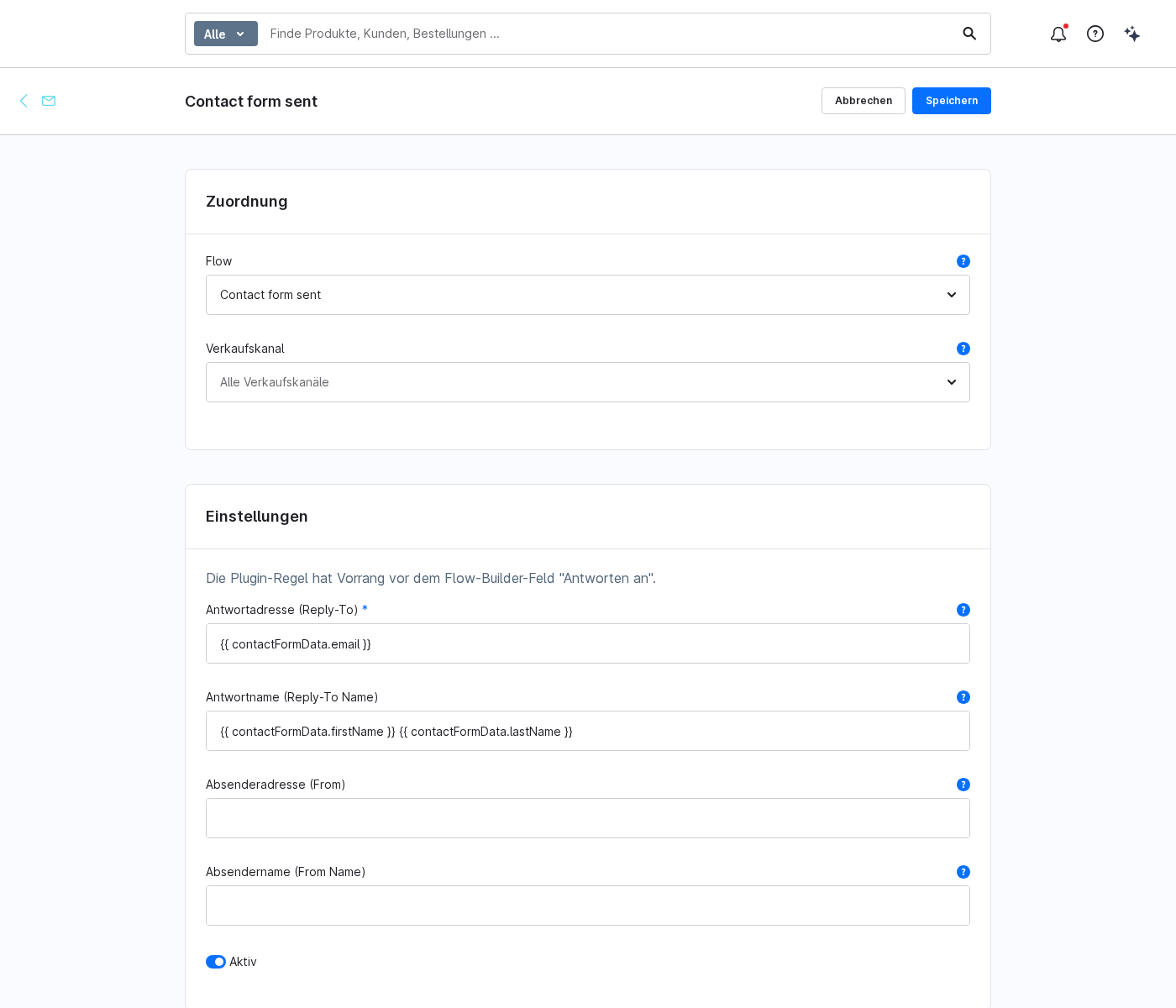
The reply-to address and display name can be populated using Twig variables, such as the email address from the contact form or the customer’s delivery address. The available variables are documented on the details page of each rule in the „Available Variables“ tab and can be copied with a single click.
{{ contactFormData.email }}and{{ contactFormData.firstName }}/{{ contactFormData.lastName }}for the contact form{{ order.orderCustomer.email }}for the order confirmation{{ customer.email }}for registered customers
If a variable cannot be resolved in the relevant context, the rule is skipped and the email is sent out unchanged.
3 · Sender override (From) with DKIM/SPF information
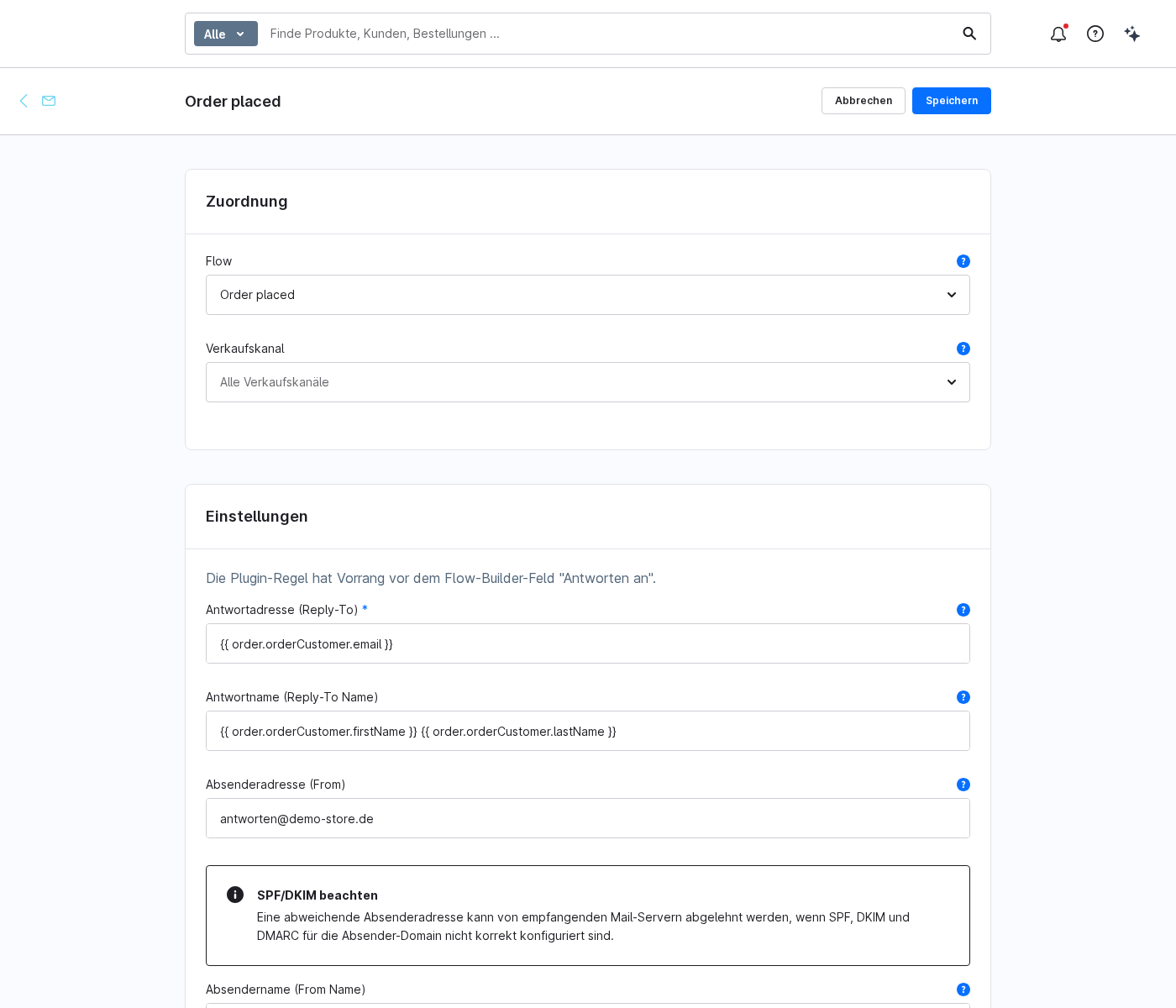
In addition to the reply-to address, you can also optionally override the ‘From’ address and the sender’s name. A note in the administration section reminds you of the SPF, DKIM and DMARC responsibilities for the sender domain being used: a different sender address may be rejected by receiving mail servers if these settings are not configured correctly.
4 · Kill switch and debug log
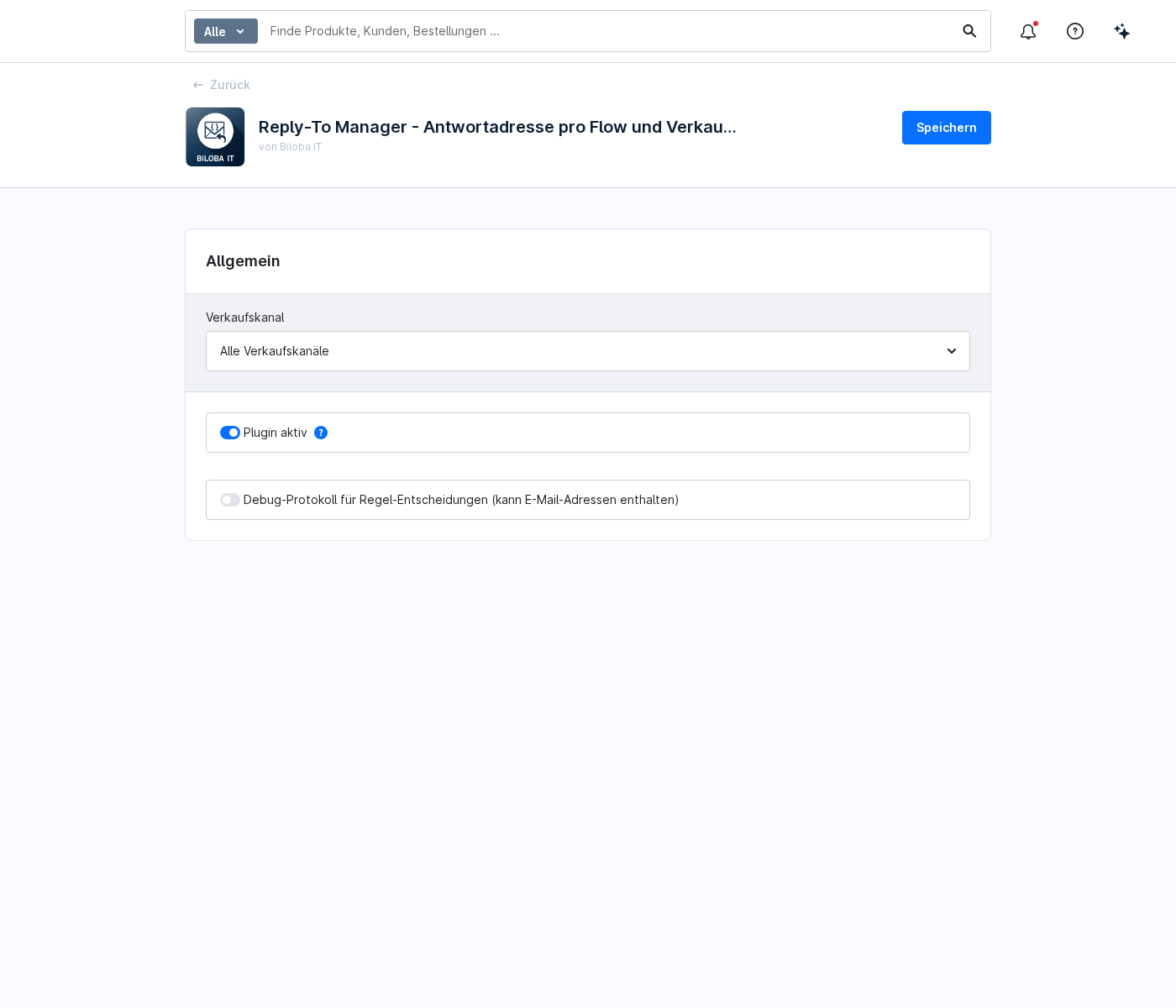
In the extension’s configuration (Extensions → My Extensions → Reply-To Manager → Configuration) there are two switches:
| Field | Meaning |
|---|---|
| Plugin active | Disables all ‘Reply-To’ rules in one go, without stopping emails from being sent. Shopware will continue to send emails as normal, but without the ‘Reply-To’ header. |
| Debug log for control decisions | When rules are applied, create an entry detailing the decision taken. As this may contain email addresses, only enable this if necessary. |
FAQs
Support
If you have any questions or problems, please do not hesitate to contact us:
- Support request: biloba-it.de/shopware-plugin-support
- e-mail: support@biloba-it.de
- Phone: +49 (0) 711 - 13633800
 German
  English