
Don’t miss out on any new features
Plugin news, updates and practical Shopware tips. Once a month.
Search keywords (the standard shopware field customSearchKeywords am Produkt) werden im Storefront-Suchindex besonders hoch gerankt — sie steuern also massgeblich, ob ein Produkt zu einer Kundensuche gefunden wird. Im Standard fehlen Redakteuren beim Anlegen oder Pflegen eines Produkts allerdings Vorschläge. Das führt schnell zu Variantenchaos: „T-Shirt”, „Tshirt” und „T Shirt” landen alle als eigenständige Begriffe im Index und zerfasern die Suche.
Das Plugin „Such-Schlagwörter zentral verwalten” liefert zwei Hilfsmittel, um die Schlagwortvergabe konsistent zu halten:
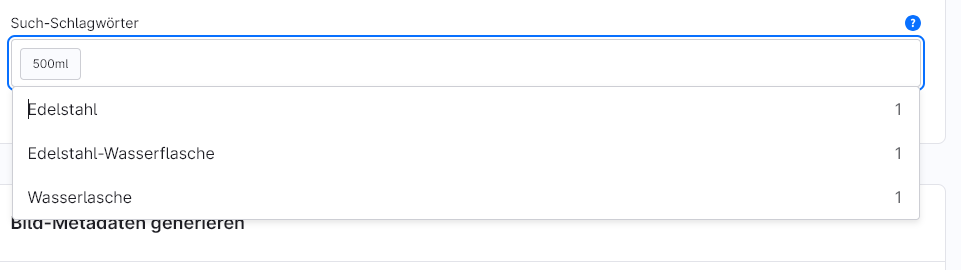
- Live suggestions in the product editor - When typing, all keywords already used on other products appear, including a frequency counter.
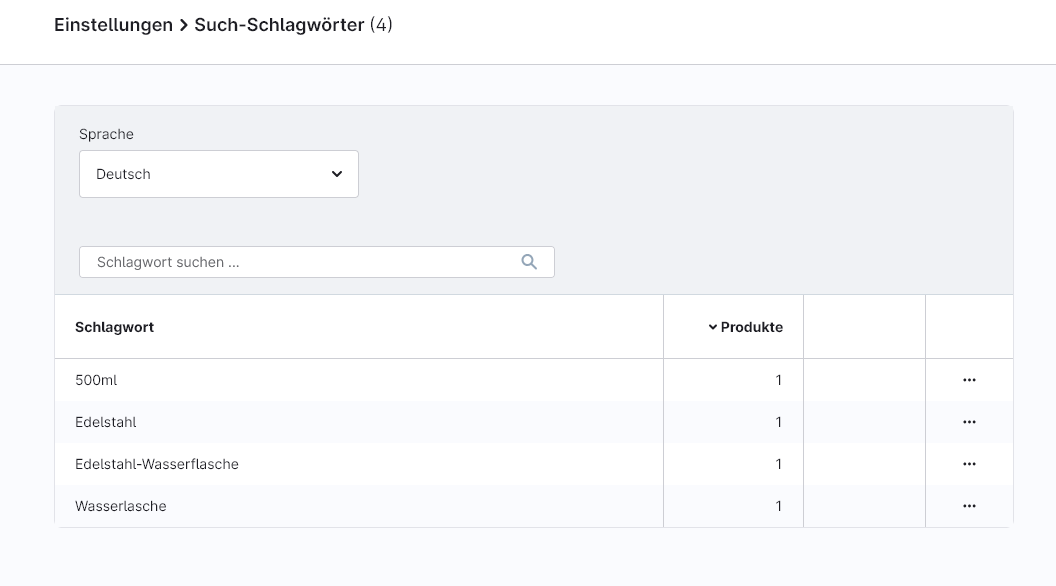
- Central administration in the settings — Übersicht über alle vergebenen Schlagwörter mit den Aktionen „Umbenennen” und „Löschen”, die auf alle betroffenen Produkte gleichzeitig wirken.
Prerequisites
- Shopware 6 with access to the administration.
- No external services or API keys required.
- No migration necessary - existing keywords appear immediately in the overview.
Compatibility
- Uses the standard product field customSearchKeywords - No interventions in the data kernel, no third-party plug-in dependencies.
- Fully compatible with OpenSearch.
- The storefront search index is updated automatically, as the Shopware standard indexer also writes during the DAL update.
Installation
- Purchase or rent the extension in the Shopware Store.
- In the Shopware backend under Extensions → My extensions install and activate.
- Clear the cache and reload the backend once (F5).
1 - Suggestions in the product editor
When maintaining a product, keywords that have already been assigned are suggested directly so that editors can adopt the canonical spelling with a single click - instead of typing a new variant.
- Where: Product → Tab General → Area Search keywords.
- What: When tapping, a dropdown appears with all the keywords already used on other products, including a counter showing the frequency.
- Takeover: Clicking on a suggestion immediately adds the keyword to the product.
2 - Central administration
The central overview page bundles all keywords used in the shop and allows them to be renamed or removed for all affected products in a single step.
- Where: Settings → Contents → Search keywords.
- Overview: List of all keywords with the number of products for which they are stored.
- Filter & Search: Language filter and full text search to quickly narrow down the list.
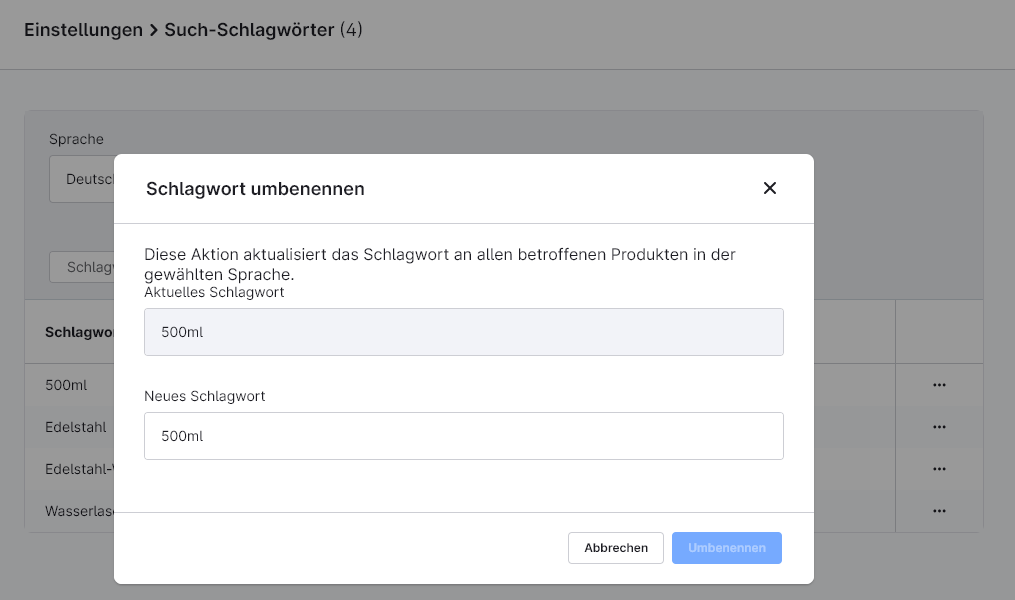
- Aktion „Umbenennen”: Changes the keyword on all affected products in a single step - ideal for standardising variants.
- Aktion „Löschen”: Removes the keyword from all products at the same time.
FAQs
Support
If you have any questions or problems, please do not hesitate to contact us:
- Support request: biloba-it.de/shopware-plugin-support
- e-mail: support@biloba-it.de
- Phone: +49 (0) 711 - 13633800
 German
  English